
Lawrence County VINELink Coverage
Mississippi Statewide Automated Victim Information and Notification is known as MS SAVIN. VINELink’s Mississippi interface is the public search and registration layer. MDOC says the system covers MDOC offenders and people held by participating county jails. It can report events such as release from custody, transfer, return to custody, escape, and absconding from supervision. Those event names matter. A transfer alert means custody continued with another agency, while a release alert describes the event supplied by the reporting custodian.
Lawrence County Jail participation was not proven by the statewide name alone. Open the live agency list and look for the jail before depending on a local record. If it is absent, call the Lawrence County Sheriff’s Office and use a release-record request. VINELink does not cover a federal sentence, a USMS movement, or every immigration event. Those cases require the relevant federal locator. Nor does VINELink preserve a complete historic roll of all Lawrence County releases. Records may change or disappear after an agency closes a custody episode.
Search Lawrence County VINELink Records
Begin with the person, not a broad list. VINELink is most useful when the booked name or offender number is already known. A name alone can produce close matches, so compare more than one field before opening notification options. For an MDOC case, the MDOC number is the strongest public key. For a county case, use the booking or offender number when the live result offers it.
- Open Mississippi in VINELink and accept any current notices shown by the service.
- Choose the person or offender search. Enter the family and given names, or use the offender identifier when available.
- Narrow the result by age, date of birth, agency, or facility when those controls appear.
- Open the likely record and match the identifier, age information, facility, and reporting agency. Do not rely on the name alone.
- Read the custody words exactly. If the event is a transfer, continue with the receiving agency instead of describing it as community release.
If no result appears, retry likely spelling forms and verify the custody type. A local detainee may not be in an MDOC feed. A former state prisoner may instead appear in the MDOC parolee search. Sealed information, age rules, a delay, nonparticipation, or an incorrect identifier may also explain a miss. The complete Lawrence County search path is on the released-inmate search and records page.
Lawrence County VINELink Release Fields
Field names vary by source agency and interface version. Read only what the live record states. “Out of custody,” “released,” and “transferred” are not synonyms. An agency can also revise a status after a delayed feed. Save the record’s wording and the time checked when a later call or records request may be needed.
| Field | What it can establish |
|---|---|
| Name and offender ID | The public identity used by the reporting agency; compare both before registering. |
| Agency or facility | Which custodian supplied the event and where the person was associated at that update. |
| Custody status | The agency’s current label, which must be quoted rather than reinterpreted. |
| Event and date | A reported release, transfer, return, escape, or other change and any date the source provides. |
| Last update | How current the displayed record claims to be, not a promise of real-time reporting. |
| Notification choices | The phone, text, or email methods offered for that record at registration time. |
For a state prisoner, compare the VINELink event with the MDOC Inmate Search. MDOC’s details may show a current location and a “Tentative Release Date.” That field is an anticipated date, not an actual release record. A current parolee record can show conditional release under supervision, while a discharge certificate or MDOC Records response provides stronger proof that the state sentence ended.
Note: Record the exact status, facility, event date, and access time before calling an agency about a mismatch.
Register Lawrence County Release Alerts
Registration starts from the correctly matched person record. Choose “Get notified,” or the current equivalent, and use only a private contact method that can receive the whole prompt. The channels shown can differ by agency. Mississippi materials describe telephone, text, and email notices, but the live record controls which choices are available.
- Select the notification option on the matched record and review the listed event types.
- Choose an offered channel and enter the private phone number, text number, or email address.
- For an automated phone notice, create the requested four-digit PIN. Use it to acknowledge the call.
- For text or email, complete the code or confirmation link if the current interface requires one.
- Continue until VINELink confirms registration. Keep the confirmation information and PIN private.
- Return to VINELink when contact details change, then confirm that the registration remains active.
A switchboard or shared line may fail because no one can enter the phone PIN. Mississippi guidance says more than one private number may be registered. Email and text may use different checks, so do not expect the phone PIN on every channel. A registration is complete only after the interface confirms it.
MS SAVIN describes registration as confidential and permits anonymous enrollment. That does not mean the person record itself is secret; it means the registrant’s alert choices and contact details should be kept out of public copy. Never post a PIN, confirmation number, phone destination, or registration screenshot that exposes those details. If a notice stops, return through VINELink or call MS SAVIN for registration help rather than opening a second account through an unrelated service. Alerts can repeat when a phone call is not acknowledged with its PIN.
Mississippi SAVIN Release Events
The official MS SAVIN explanation identifies the state’s notification events and describes a Registration Link. That link can carry county-level registration forward when a person is convicted of a felony and moves to MDOC or other custody. The bridge is useful in Lawrence County because no lasting local released-inmate roster was verified. It can reduce the chance that a registration ends at the first transfer.
The official page shown below documents Mississippi coverage, event types, and the registration path. It is a state program view, not proof that Lawrence County Jail currently sends a live feed.
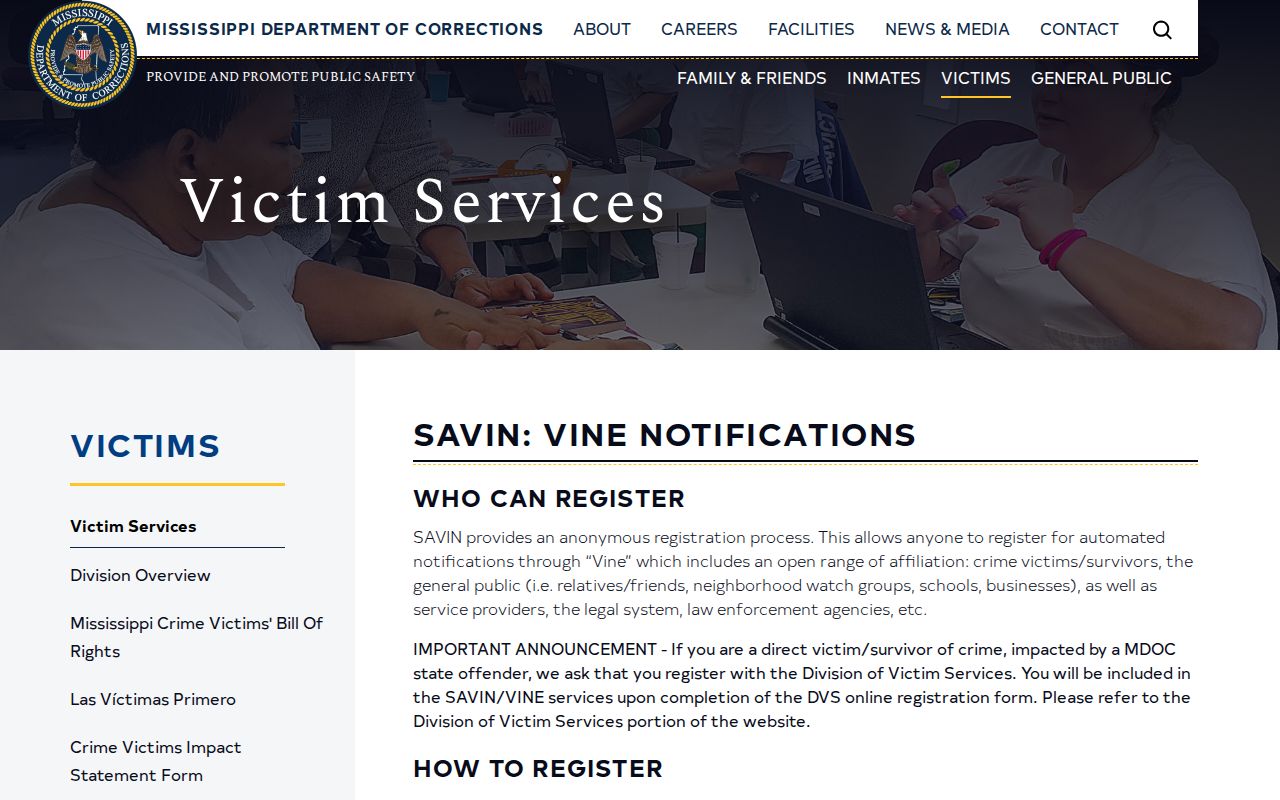
The image connects a verified state source to the alert process. Check the current Lawrence County agency list before relying on a jail notice.
Lawrence County SAVIN Bridge
MDOC details records link toward MS SAVIN. This creates a state-specific path from an identified corrections record to notification enrollment. First match the MDOC number, birth information, sentence county, and current location. Then move to the linked notification service and register against the same person. This is safer than starting from a common name with no agency context.
The bridge must not be stretched beyond its evidence. It shows that MDOC and MS SAVIN connect at the state level. It does not show that every Lawrence County Jail booking is present. If the county jail cannot be selected, ask the Sheriff at 601-587-2961 whether a person remains held and how to request the booking or release record. For state-record questions, MDOC can explain its own entry and supervision data.
Confirm Lawrence County Release Status
An automated alert is a prompt to verify, not the final evidence. Call the agency named in the record when timing is urgent. For Lawrence County Jail, ask whether the person remains held, the date and time of departure, the release authority, and whether the destination was the community or another custodian. A booking/release record or movement log can answer those points. A court order can explain the legal basis, but a separate hold may have delayed physical release.
For an MDOC case, check inmate and parolee records. Ask MDOC Records for a time sheet or discharge certificate when the public screens do not resolve final status. For a federal sentence, use the BOP Inmate Locator; VINELink does not supply the federal release record. If a transfer may involve USMS or ICE, contact that agency’s channel. One database saying “not here” never proves the person is free.
- Release
- A reported end to the named custody event.
- Transfer
- A move to another custodian while confinement may continue.
- Parole
- Conditional community release approved by the Parole Board and supervised by MDOC.
- Discharge
- The documented end of the correctional sentence or supervision at issue.
Lawrence County Alert Assistance
VINELink warns users not to depend on an automated notice for personal safety. Delivery can lag, contact information can fail, and a reporting agency can correct data. Recheck the live record and contact the named custodian when a status must be confirmed. Keep PINs and registration numbers private. They are used to manage or acknowledge alerts, not to prove identity to a public records office.
The Office of MS SAVIN lists 601-359-5759 during standard business hours, 1-888-9-MSSAVIN (1-888-967-7284) around the clock, and TTY 866-847-1298. Ask the office to explain a notice or registration path. It cannot turn an unverified county feed into proof of local participation. For a Lawrence County custody record, the Sheriff remains the source; for an MDOC event, the state corrections record remains the source.
A no-result should be documented as a limitation, not rewritten as a release event. Note the name form, identifier, state, agency choices, and time searched. Then call the likely custodian. This audit trail helps separate a true agency response from a spelling error or an interface change, and it keeps a later records request focused on the right person and custody episode. Keep the response date with the notes.